

AI teammate that lives in Slack and Teams, integrating with tools to complete real work

Magic Copy
Copy any object from images quickly with Meta's Segment Anything Model.
- Pricing
- Free
- Monthly traffic
- 2.1k
What is Magic Copy?
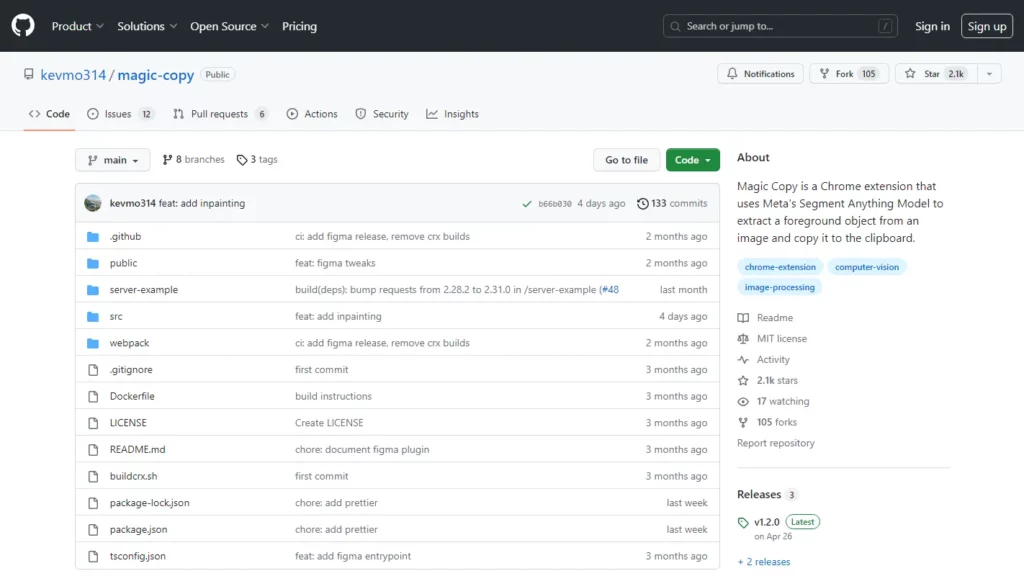
Magic Copy is a Chrome extension that uses Meta's Segment Anything Model to extract a foreground object from an image and copy it to the clipboard. The extension can be installed manually by downloading the latest `magic-copy.zip` from releases, extracting it, and then loading it in Chrome's developer mode. Magic Copy is also available as a Figma plugin. The extension uses the same procedure as the Segment Anything Model demo to extract a foreground object from an image, but instead of displaying the extracted object on the page, it copies it to the clipboard. The extension can be built using npm and a provided Dockerfile, and it requires a POST endpoint that accepts an image file and returns a JSON array of length 1 with the embedding of shape (1, 256, 64, 64) as a base64 encoded string. The extension can be self-hosted by following the instructions in the `server-example` directory.
⚡Top 5 Magic Copy Features:
1. Foreground Object Extraction: Magic Copy uses Meta's Segment Anything Model to extract a foreground object from an image. 2. Clipboard Copy: The extracted object is copied to the clipboard, allowing for easy sharing or manipulation. 3. Chrome Extension: Magic Copy is available as a Chrome extension, making it accessible to a wide range of users. 4. Figma Plugin: The extension is also available as a Figma plugin, providing additional functionality for designers. 5. Self-Hosted Service: Magic Copy includes a simple example of how to self-host the vision transformer service, allowing users to avoid sending their images to a third party.⚡Top 5 Magic Copy Use Cases:
1. Image Editing: Magic Copy can be used to extract specific objects from images for editing or manipulation. 2. Data Extraction: The extension can be used to extract data from images, such as text or logos, for further analysis. 3. Design Tools: Magic Copy can be used as a tool for designers to quickly extract specific elements from images for use in their projects. 4. Accessibility: The extension can be used to extract text or other elements from images for users with visual impairments or other accessibility needs. 5. Research and Analysis: Magic Copy can be used to extract specific objects or data from images for research or analysis purposes.View Magic Copy Alternatives And Related Tools:
An AI engine that audits search, AI visibility, and ad accounts, then ships cited fixes
AI regulatory review that catches compliance gaps in filings before they reach the regulator
AI-native practice management software that automates legal intake and admin work
No-code AI trading agents that run your strategies 24/7 across global markets
Encrypted email with AI writing assistance, alias management, and data safety
AI agent that negotiates bills, cancels subscriptions, and resolves complaints
Multi-agent AI platform that builds full-stack apps, SaaS & websites
Work order & facilities management with smart routing, scheduling & analytics
Local AI agent that automates email, calendar, coding, and tasks via your favorite chat apps
Social media on autopilot, bulk create branded posts in minutes with smart scheduling
Personal AI agent with deep memory that creates mini-apps to help you live better











Is this your tool? Add the “Featured on Powerusers” badge to your site

<a href="https://powerusers.ai/ai-tool/magic-copy/?utm_source=badge-featured&utm_medium=badge&utm_souce=badge-magic-copy" target="_blank"><img src="https://powerusers.ai/wp-json/tools/v2/featured.svg?theme=light&tool_id=26657" alt="powerusers" style="width: 250px; height: 54px;" width="250" height="54"></a>